
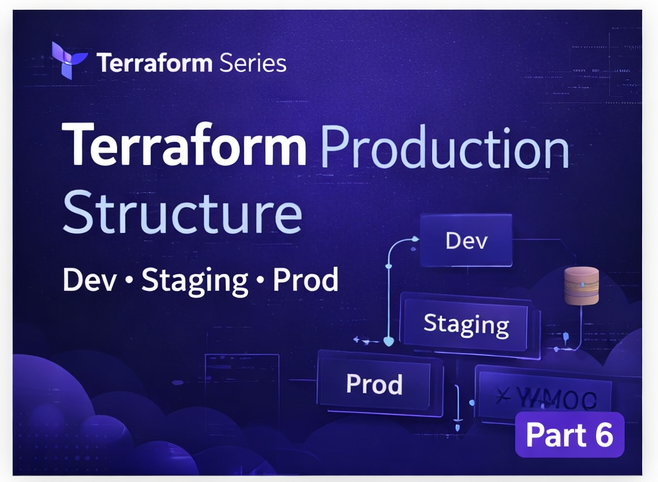
📘 Terraform Series — Part 6
Part 5 မှာ Modules နဲ့ Remote Backend ကို လေ့လာပြီးပါပြီ။ အခုဆိုရင် Terraform ကို basic level ကနေ intermediate level ကို ရောက်လာပါပြီ။
ဒီ post မှာတော့ —
👉 Real DevOps team တွေ Terraform project ကို ဘယ်လို structure လုပ်ကြသလဲ 👉 Production environment တွေကို ဘယ်လို manage လုပ်ကြသလဲ ကို လေ့လာသွားပါမယ်။
🎯 ဒီ post ရဲ့ ရည်ရွယ်ချက်
ဒီ lesson ရဲ့ main goal ကတော့ —
👉 Terraform ကို “just working code” ကနေ 👉 “production-ready system” အဖြစ် ပြောင်းလဲနိုင်ဖို့ပါ။
❗ Beginner Structure ရဲ့ ပြဿနာ
အများစု beginner တွေ project ကို ဒီလိုရေးကြပါတယ် —
main.tf
variables.tf
outputs.tf
ဒီ structure က —
✔ Learning အတွက်ဆိုရင်တော့ OK ပါတယ်။ ❌ Production အတွက် မလုံလောက်ပါဘူး။
🔥 ဘာကြောင့်မလုံလောက်တာလဲ?
1️⃣ Environment မခွဲထားဘူး
- Dev (testing)
- Prod (live)
👉 အတူတူဖြစ်နေတယ်
📌 Result: 👉 Mistake တစ်ခုခုနဲ့ production ကို ထိခိုက်စေနိုင်ပါတယ်
2️⃣ State conflict ဖြစ်နိုင်တယ်
- တစ်ယောက်က apply လုပ်တယ်
- တစ်ယောက်က modify လုပ်တယ်
👉 State corruption ဖြစ်နိုင်တယ်
3️⃣ Code reuse မကောင်းဘူး
- Copy & paste လုပ်ရတယ်
- Maintain လုပ်ဖို့ တော့မလွယ်ဘူး
🏗️ Production Structure (Professional Way)
အခု DevOps team တွေ သုံးတဲ့ structure ကိုကြည့်ရအောင် —
terraform-project/
│
├── modules/
│   └── ec2/
│       ├── main.tf
│       ├── variables.tf
│       └── outputs.tf
│
├── environments/
│   ├── dev/
│   │   ├── main.tf
│   │   ├── backend.tf
│   │   └── terraform.tfvars
│   │
│   ├── staging/
│   │   ├── main.tf
│   │   ├── backend.tf
│   │   └── terraform.tfvars
│   │
│   └── prod/
│       ├── main.tf
│       ├── backend.tf
│       └── terraform.tfvars
🔍 Structure ကို နားလည်လယ်အောင် ခွဲပြီးရှင်းပါမယ်
📦 modules/ (Reusable Logic)
ဒီ folder ထဲမှာ —
👉 Infrastructure logic (EC2, VPC, etc.) ကို သိမ်းပါတယ်
Example:
modules/ec2/👉 တစ်ခါရေးပြီး environment အားလုံးမှာ reuse လုပ်နိုင်ပါတယ်
🌍 environments/ (Environment Separation)
ဒီ folder က —
👉 Environment အလိုက် config ခွဲထားတဲ့နေရာပါ
🔹 dev/
- Testing အတွက်
- Cheap instance (t2.micro)
- Experimental changes
🔹 staging/
- Production နီးပါး
- QA testing
🔹 prod/
- Real users တွေ အသုံးပြုတဲ့ environment
- High stability required
🔁 Module ကို Environment မှာ အသုံးပြုခြင်း
environments/dev/main.tf
module "ec2" {
  source = "../../modules/ec2"

  instance_type = "t2.micro"
}
👉 dev, staging, prod အားလုံးမှာ same module ကို သုံးပါတယ် 👉 Config value တွေကတော့ မတူဘူး
⚙️ terraform.tfvars (Environment Values)
Example:
instance_type = "t2.micro"Prod မှာ —
instance_type = "t3.medium"👉 Same code 👉 Different behavior
🧠 Remote State Separation
backend.tf
terraform {
  backend "s3" {
    bucket = "tf-state-bucket"
    key    = "dev/terraform.tfstate"
    region = "ap-southeast-1"
  }
}
👉 Dev → dev/terraform.tfstate 👉 Prod → prod/terraform.tfstate
📌 Result:
👉 State မတူပါဘူး 👉 Conflict မဖြစ်ဘူး
🔄 Workflow (Real Example)
🚀 Dev Deploy
cd environments/dev
terraform init
terraform apply
👉 Testing changes safely
🚀 Production Deploy
cd environments/prod
terraform init
terraform apply
👉 Only stable code goes here
🧠 DevOps Insight
👉 Good structure = safe infrastructure 👉 Bad structure = production risk
⚠️ Common Mistakes (Avoid!)
❌ Dev/Prod mix together ❌ Same state file use ❌ Hardcode values ❌ No module usage
🎯 ဒီနေ့ သင်လေ့လာခဲ့တာ
✔ Production Terraform structure ✔ Multi-environment design ✔ Safe deployment practices ✔ Real DevOps workflow
💡 Real World Example
Company တစ်ခုမှာ —
- Dev team → dev environment
- QA team → staging
- Users → production တွေရှိပါတယ်။ 👉 Terraform structure က ဒီ workflow ကို support လုပ်ပေးတယ်
🚀 နောက်ထပ် ဘာလာမှာလဲ?
👉 Terraform Workspaces vs Environments
👉 When to use each approach
📚 Terraform Learning Series
Part 1 → Introduction Part 2 → Setup Part 3 → EC2 Part 4 → Variables Part 5 → Modules + Backend Part 6 → Production Structure (ဒီ post) Part 7 → Workspaces
👉 Continue learning 🔥
👨💻 English Version
“Read full English version on Dev.to → visit Here