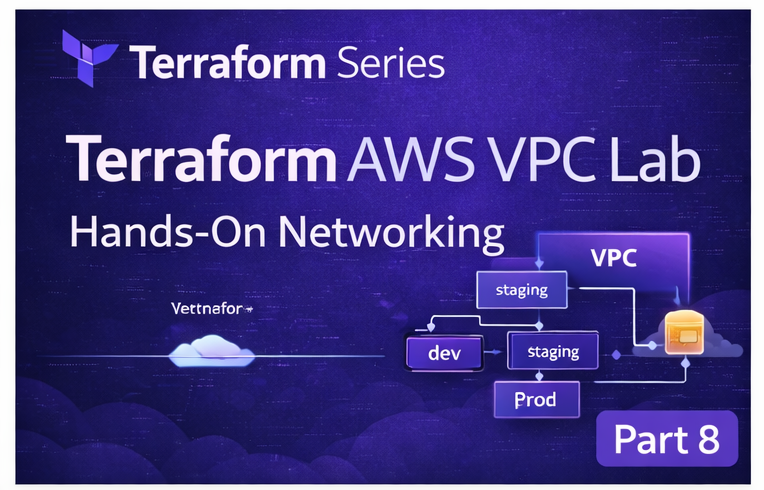
📘 Terraform Series — Part 8
ဒီအထိ သင်လေ့လာခဲ့တာတွေကတော့ —
✔ Terraform basics ✔ Modules ✔ Remote backend ✔ Production structure
တို့ကို လေ့လာပြီးပါပြီ။
အခုတော့ —
👉 Real infrastructure ကို တည်ဆောက်မယ့် အချိန်ပါ 🔥
🎯 ဒီ Lab ရဲ့ ရည်ရွယ်ချက်
👉 AWS VPC ကို Terraform နဲ့ တည်ဆောက်မယ် 👉 Networking basic concept နားလည်မယ် 👉 Real-world architecture foundation ကို build မယ်
🌐 VPC ဆိုတာဘာလဲ?
VPC (Virtual Private Cloud) ဆိုတာ —
👉 AWS ထဲမှာ သင့်ရဲ့ကိုယ်ပိုင် network တစ်ခုပါ
သင် control လုပ်နိုင်တာတွကတော့ —
- IP range
- Subnet
- Routing
- Internet access
🏗️ Architecture Overview
VPC (10.0.0.0/16)
│
├── Public Subnet (10.0.1.0/24)
│
└── Internet Gateway
📁 Project Setup
vpc-lab/
  main.tf
  variables.tf
⚙️ Step-by-Step Implementation
🔹 Step 1: AWS Provider
provider "aws" {
  region = "ap-southeast-1"
}
🔹 Step 2: Create VPC
resource "aws_vpc" "main" {
  cidr_block = "10.0.0.0/16"
}
📌 Explanation:
👉 10.0.0.0/16 = network size 👉 Private IP range
🔹 Step 3: Create Subnet
resource "aws_subnet" "public" {
  vpc_id     = aws_vpc.main.id
  cidr_block = "10.0.1.0/24"
}
📌 Explanation:
👉 Subnet = smaller network inside VPC
🔹 Step 4: Internet Gateway
resource "aws_internet_gateway" "igw" {
  vpc_id = aws_vpc.main.id
}
📌 Explanation:
👉 Internet access enable လုပ်ပေးတယ်
🔹 Step 5: Route Table
resource "aws_route_table" "public" {
  vpc_id = aws_vpc.main.id
}
🔹 Step 6: Internet Route
resource "aws_route" "internet" {
  route_table_id         = aws_route_table.public.id
  destination_cidr_block = "0.0.0.0/0"
  gateway_id             = aws_internet_gateway.igw.id
}
📌 Explanation:
👉 0.0.0.0/0 = All internet traffic
🔹 Step 7: Associate Subnet
resource "aws_route_table_association" "assoc" {
  subnet_id      = aws_subnet.public.id
  route_table_id = aws_route_table.public.id
}
🚀 Run Terraform
terraform init
terraform plan
terraform apply
🧠 Result
သင် build လုပ်ပြီးတဲ့နောက်မှာတော့ —
✔ VPC ✔ Subnet ✔ Internet access
ရရှိပါပြီ။
💡 DevOps Insight
👉 VPC = foundation 👉 Every AWS system starts here
⚠️ Important
terraform destroy👉 AWS မှာ မလိုအပ်ပဲ ပိုက်ဆံ မကုန်အောင် Resource တွေ မလိုတော့ရင် delete လုပ်ပါ (cost save)
🎯 ဒီနေ့ သင်လေ့လာခဲ့တာ
✔ AWS networking basics ✔ Terraform resource linking ✔ Real infrastructure deployment
🚀 နောက်ထပ် ဘာလာမလဲ?
👉 3-Tier Architecture (ALB + EC2 + DB)
👉 Real production system 🔥
📚 Series Flow
Part 7 → Workspaces Part 8 → VPC Lab (ဒီ post) Part 9 → 3-Tier Architecture
👉 Continue learning 🔥
👨💻 English Version
“Read full English version on Dev.to → visit Here